Directory rank snapshots
Track where your server appears across MCP directories and keep dated rank evidence for launch reviews.
SaaS for MCP launch visibility
Watch directory rank, server-card trust fields, and competitor listings before a launch window goes quiet.
Give product, DevRel, and agency teams a weekly evidence record for where an MCP server appears, what changed, and what to fix next.
Paste a sample to generate a preview.
What it delivers
Every run turns scattered directory pages into a dated visibility record your team can review, export, and improve.
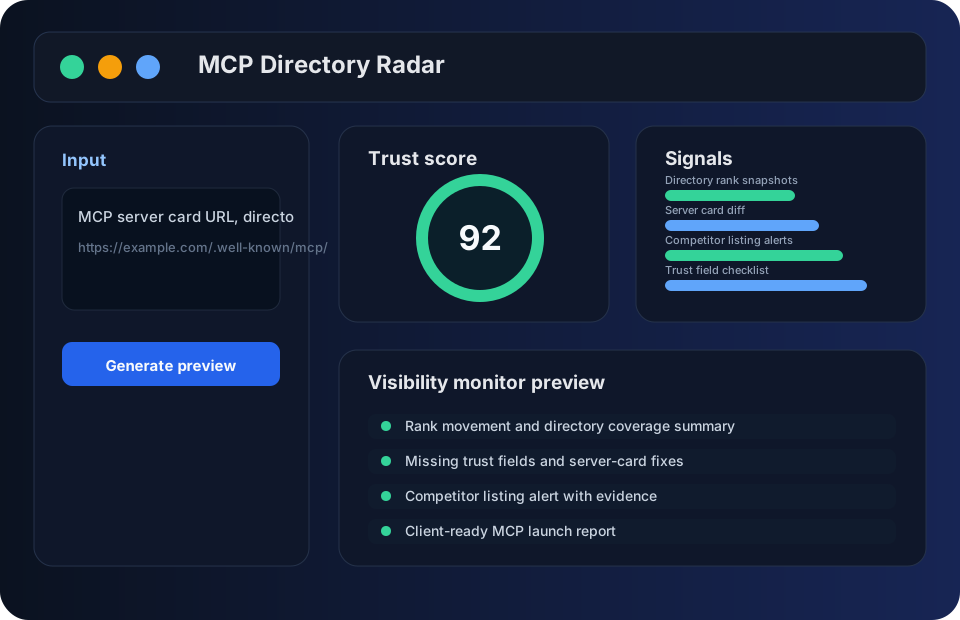
Keep the directory page, server-card health, trust score, and alert receipt together so the next review starts from evidence, not memory.
Track where your server appears across MCP directories and keep dated rank evidence for launch reviews.
Spot changes to name, description, transport, auth, docs, and trust fields before stale metadata hurts discovery.
Watch adjacent servers enter, move, or disappear from the same directory pages your prospects compare.
Review install links, repository signals, docs, owner contact, examples, and security notes in one practical checklist.
Export a concise launch report with movement, fixes, risks, and the next action for product or client teams.
Keep decisions, reviewers, regions, and handoff notes attached to the same visibility evidence.
Workflow
Paste a server-card URL, directory page, or competitor listing to start a monitor.
Review rank movement, missing trust fields, and directory coverage in one pass.
Receive alerts when competitors or your own listing change in visible places.
Share a weekly report with the exact evidence, fixes, and next owner.
Operational evidence
MCP Directory Radar is built for teams that need to explain what changed, why it matters, and who owns the next fix.
A hosted monitor for directory rank, server-card quality, competitor movement, and weekly evidence.
Start with the URLs and keywords your launch team already checks by hand.
Each report keeps movement, missing fields, competitor changes, and next actions together.
Questions about deployment, checkout, access, or report boundaries route to a visible support contact.
Use it when rank changes, listing quality, or competitor movement must be checked every week. A spreadsheet is enough for one-off, low-risk checks.
The service keeps visibility work reviewable, but third-party directories still control acceptance, ranking, and listing update timing.
FAQ
Bring the server-card URL, target directories, important keywords, launch region, and the owner who will fix missing fields.
The workflow focuses on MCP directory evidence: rank movement, listing quality, trust fields, competitor changes, and reportable fixes.
No. Use public-safe URLs and metadata only. Keep private credentials, tokens, customer data, and unreleased security details out of submissions.
Pricing
Prices are shown as monthly rates. Annual PayPal checkout applies a 50% annual discount.
One server and weekly snapshots
Five servers and alert history
Multi-client directory monitoring
Resources
How to evaluate MCP server visibility monitor with practical steps, risks, and a product workflow.
How to evaluate MCP directory rank tracker with practical steps, risks, and a product workflow.
How to evaluate MCP server card checker with practical steps, risks, and a product workflow.
How to evaluate MCP server listing alerts with practical steps, risks, and a product workflow.
How to evaluate MCP server competitor monitor with practical steps, risks, and a product workflow.
How to evaluate MCP trust field audit with practical steps, risks, and a product workflow.
How to evaluate MCP launch report with practical steps, risks, and a product workflow.
How to evaluate MCP directory SEO checklist with practical steps, risks, and a product workflow.
How to compare popular MCP server visibility signals without copying competitor listings.
How to monitor MCP server trend movement, listing changes, and weekly evidence.
How to improve MCP server discovery with directory, server-card, and trust-field signals.
MCP Directory Radar gives teams a single place to watch directory visibility, server-card completeness, competitor movement, and checkout-ready report history.
MCP listings move across directories, but the evidence is easy to lose when teams check pages by hand.
The workspace keeps rank snapshots, trust-field checks, competitor alerts, and reviewer notes tied to each run.
Reports capture dated directory pages, missing fields, score movement, and the recommended next fix.
Paid runs create a reusable handoff record for product, DevRel, agency, or client review.
It monitors MCP directory rank, server-card fields, competitor listings, and weekly visibility evidence.
It is for teams that launch, maintain, or report on MCP servers and need repeatable evidence instead of screenshots scattered across chats.
The pricing page lists monthly rates, annual PayPal checkout links, plan limits, and the support contact for access questions.
For teams comparing the model layer behind agent workflows, the Kimi K3 resource hub helps connect long-context reasoning, coding, and planning notes. See Kimi K3 resource hub.